Knowledge Base
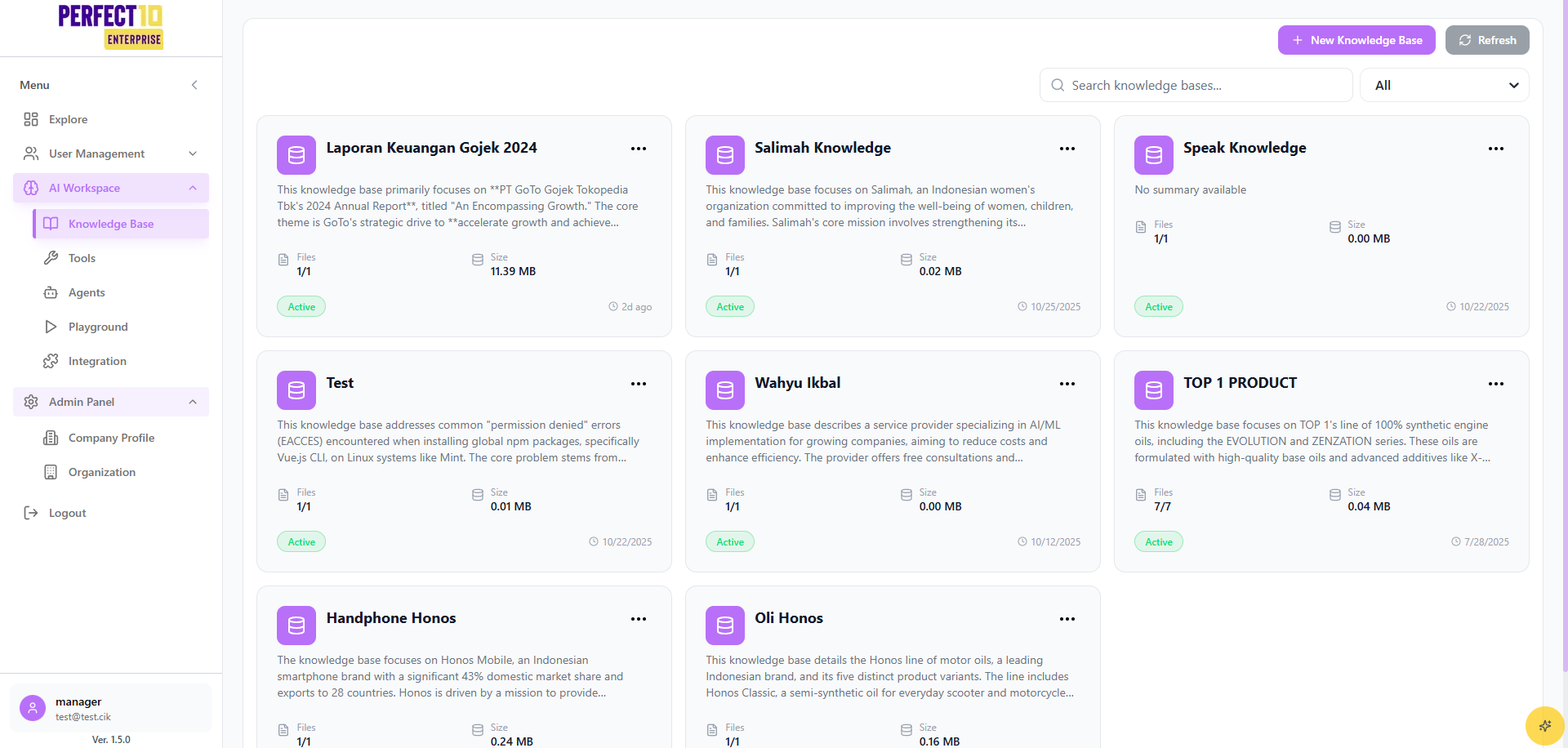
Knowledge Base Management
The Knowledge Base feature allows managers to create and manage information repositories, enhancing AI agent accuracy and relevance.
Creating a Knowledge Base
- Access https://perfect10.id/knowledge.
- Click Create Knowledge Base.
- Enter:
- Knowledge Base Name: Descriptive topic name.
- Description: Outline the purpose and content.
- Add sources:
- Upload files (PDF, DOC, TXT; max 25MB per file, 20 files total).
- Import from URLs for web-based content.
- Click Create to save.
How to Create a Knowledge Base
Editing a Knowledge Base
- Open the Knowledge Base menu.
- Locate the target knowledge base and click Edit.
- Update details or sources.
- Click Update to save.
Deleting a Knowledge Base
- Navigate to Knowledge Base.
- Click the Delete icon for the target knowledge base.
- Confirm deletion.
Note: Knowledge Bases can be linked to multiple agents, supporting scalable, multilingual content.
Tip: Maintain up-to-date, region-specific sources to enhance agent performance.