Admin Guide
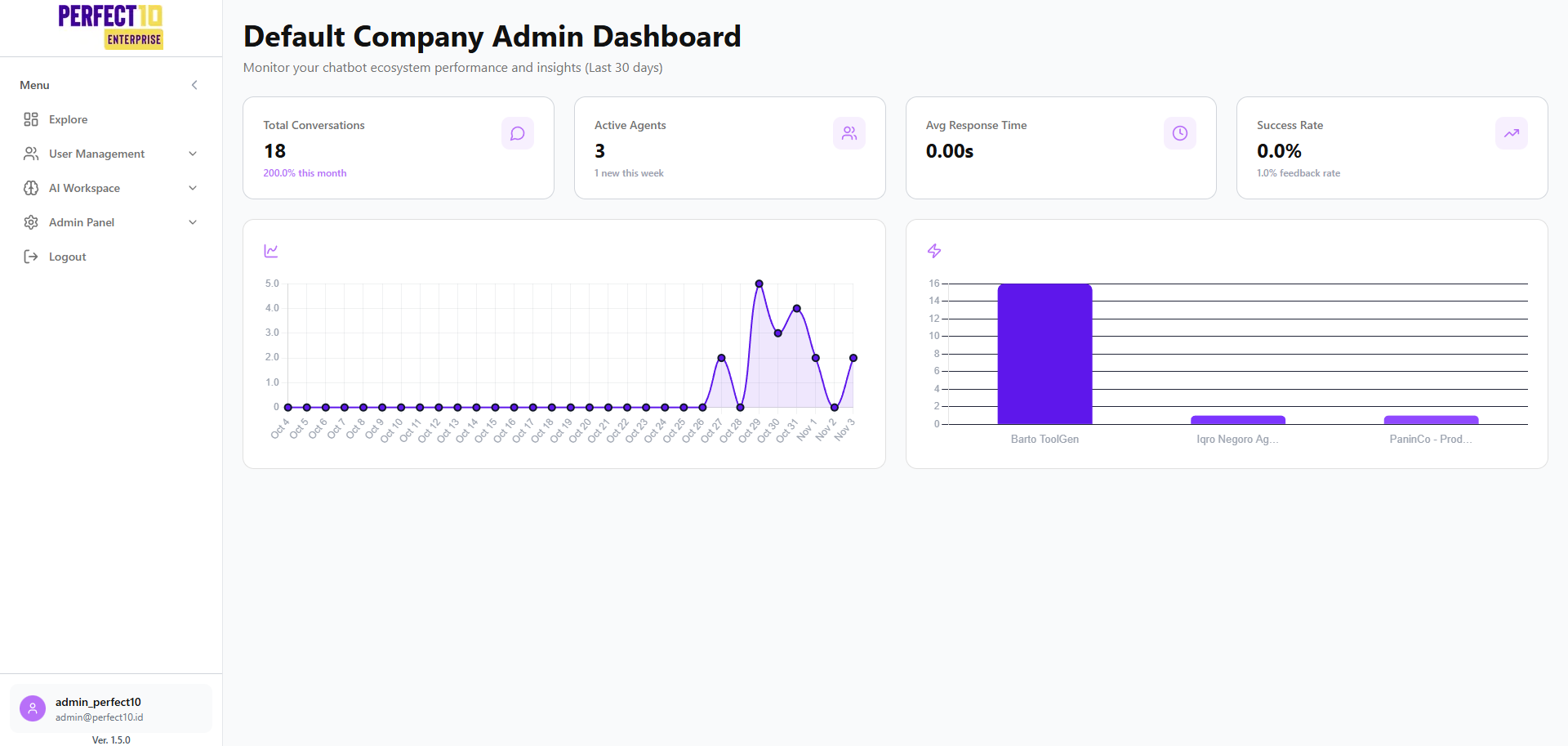
The Admin Guide provides comprehensive instructions for administrators to configure, monitor, and manage the Perfect10 Pro - Enterprise Platform.
This guide covers every administrative function, including user access, AI workspace management, integrations, analytics, and security procedures.
Overview
The Perfect10 Pro platform empowers organizations to manage AI-driven operations at scale. Administrators can oversee chatbot performance, user access, and data integrations, ensuring a seamless, secure, and efficient enterprise environment.
Key Responsibilities of Administrators
Administrators are responsible for:
- Configuring AI Agents: Set up, train, and fine-tune chatbot agents to align with organizational goals.
- Managing Knowledge Bases: Maintain accurate, region-specific content to ensure contextually correct responses.
- User and Department Management: Assign roles, manage access permissions, and organize users across departments.
- Integration Oversight: Connect Perfect10 Pro with third-party platforms, APIs, and data systems for global scalability.
- Monitoring Performance: Track system metrics and conversation analytics via the real-time dashboard.
- Ensuring Security: Regularly review access logs, enforce strong authentication, and perform secure logout procedures.
Platform Sections
The Admin Panel is structured into several key modules accessible via the sidebar:
- Explore – Navigate to key features including user management, invitations, departments, and employee settings.
- AI Workspace – Manage the knowledge base, tools, agents, and integration playgrounds.
- Admin Panel – Configure company profiles, organizational hierarchies, and usage analytics.
- Logout – Securely sign out to protect sensitive administrative sessions.
Best Practices
Tip: Review platform analytics at least once per week to identify trends, improve chatbot responses, and optimize AI configurations.
Keep system documentation and access roles updated to maintain operational integrity and compliance.
Explore the subsections below for detailed guidance on each module and its configuration.