Company Profile
Overview
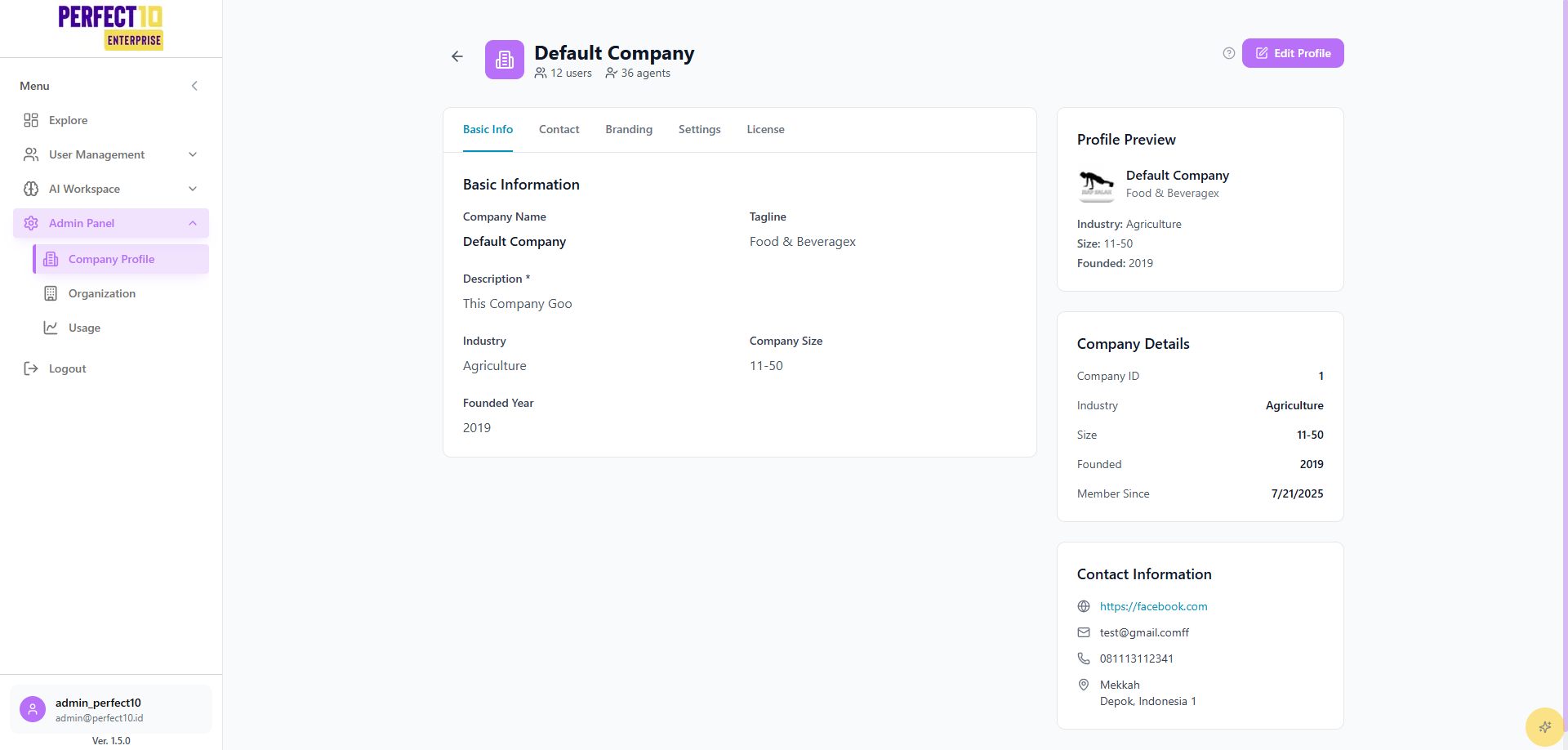
The Company Profile page in Perfect10 Pro - Enterprise Platform enables administrators to view and manage organizational information such as company identity, size, industry, and contact details.
It provides a centralized place for updating corporate metadata and branding elements used across the platform.
Profile Summary
The top section of the page displays a quick overview of company activity:
- Total Users: 12
- Total Agents: 36
- Company Name: Default Company
Administrators can edit company details, update branding, and review general information about the organization.
Editing Company Profile
Click Edit Profile to modify basic information.
Basic Information
- Company Name – Official organization name.
- Tagline – A short slogan or mission statement.
- Description – Overview of the company’s focus or business domain.
- Industry – Select from industry categories (e.g., Agriculture, Technology, Retail).
- Company Size – Define employee count range (e.g., 1–10, 11–50, 51–200).
- Founded Year – Specify the year the company was established.
Branding
Upload a Company Logo to personalize the platform interface.
The preview section displays the current logo, tagline, and key company statistics.
Company Details
This section provides reference information automatically generated by the system:
| Field | Description |
|---|---|
| Company ID | Unique identifier for the company record. |
| Industry | Current industry classification. |
| Size | Total number of employees or organization scale. |
| Founded | Year of establishment. |
| Member Since | Date the company was first registered on the platform. |
Contact Information
Admins can maintain accurate contact data for external communication and system references.
| Field | Example |
|---|---|
| Website / Social Link | https://companydomain.com |
| [email protected] | |
| Phone | +62 811 0000 000 |
| Address | City, Country |
Tip: Keeping contact and branding information current helps maintain consistent identity across integrations and reports.
Best Practices
- Review and update company details periodically.
- Ensure contact information is valid for account recovery and support access.
- Maintain consistency between company name, logo, and tagline for brand integrity.
- Use concise, professional descriptions for clarity in reports and dashboards.
Note: Updates to company information apply globally across all associated divisions and users.