Dashboard - Perfect10 Pro Enterprise Platform
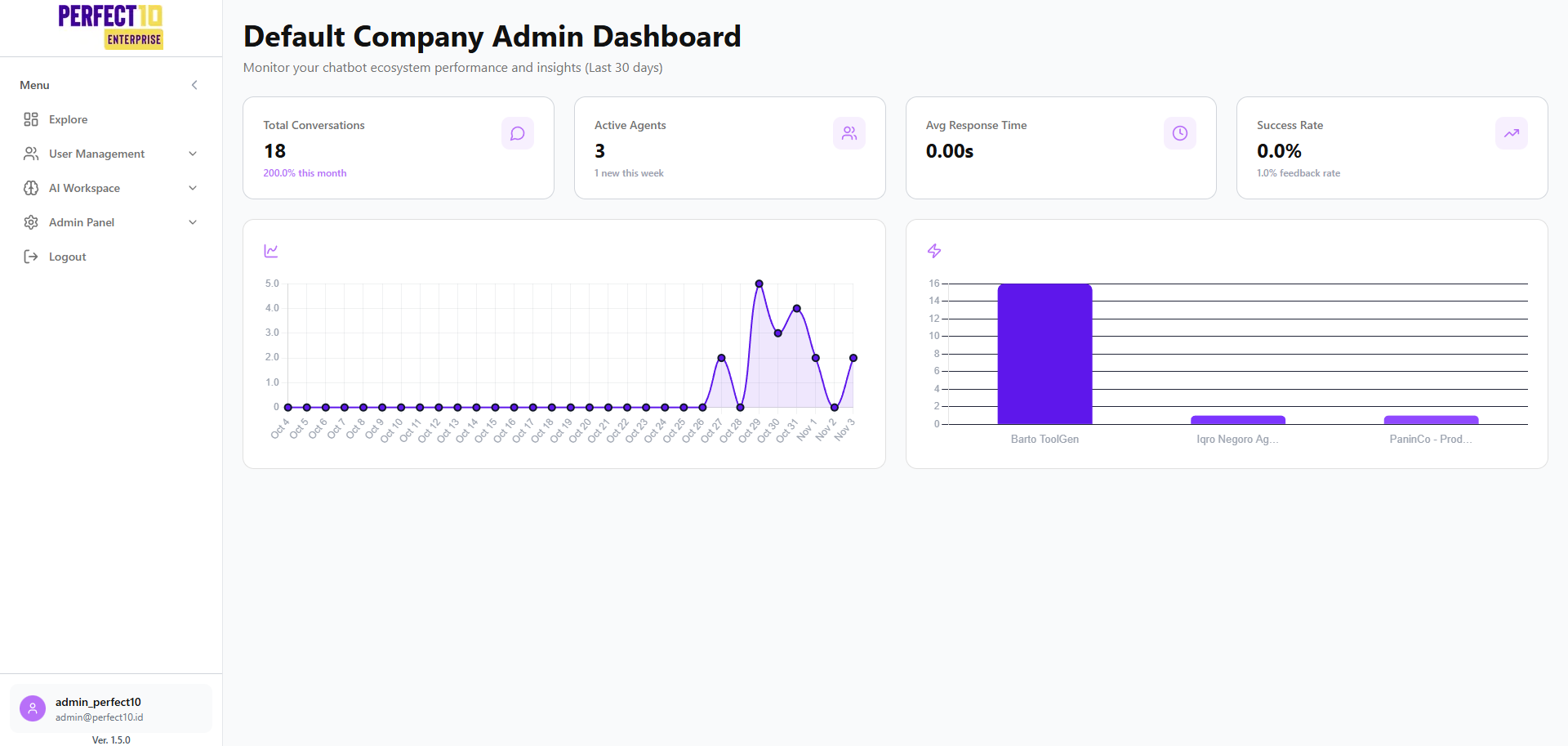
Overview
Dashboard is the central navigation hub within the Perfect10 Pro - Enterprise Platform, providing unified access to user management, AI workspace tools, integrations, and administrative operations.
Accessible via https://perfect10.id/explore, it offers real-time insights into chatbot ecosystem performance over the past 30 days.
Menu Structure
Dashboard
This section acts as the main navigation area for all core features of the platform.
User Management
Manage users, roles, and access permissions across the organization.
Invitation
Send invitations to new members and manage the onboarding process.
Departments
Create and organize departments for structured role management and segmentation.
Employee
View and manage employee profiles, positions, and activity statuses.
AI Workspace
Knowledge Base
Build and maintain your organization’s knowledge sources to power contextual chatbot responses.
Tools
Access a suite of NLP and AI utilities for testing, data processing, and optimization.
Agents
Configure, train, and monitor your chatbot agents’ behavior and performance.
Playground
Experiment with chatbot logic and test conversational flows in a safe sandbox environment.
Integration
Connect Perfect10 Pro with third-party systems and APIs for seamless data synchronization.
Admin Panel
Company Profile
Manage company-level details such as brand identity, logo, and organization information.
Organization
Configure your enterprise hierarchy and maintain relationships between departments or divisions.
Usage
Track usage metrics including conversation volume, model response time, and overall system utilization.
Logout
Securely sign out of your account to ensure data and session protection.
Account Information
Displayed in the bottom-left corner of the interface:
- Username:
admin_perfect10 - Email:
[email protected] - Version:
1.5.0
Tip: Always use the latest version to benefit from updated AI features and improved system security.
Analytics Overview
Conversation Trends
Visualizes interaction patterns and peak activity times to optimize deployment and performance.
Agent Performance
Evaluates individual chatbot agent efficiency and contribution to overall user engagement.
Note: All metrics update in real time to ensure accuracy across global operations. Inactive periods may result in empty or flat graphs.
Pro Tip: Use Conversation Trends and Agent Performance analytics to refine agent configurations, improve training data, and enhance user satisfaction.