Staff Guide
Overview
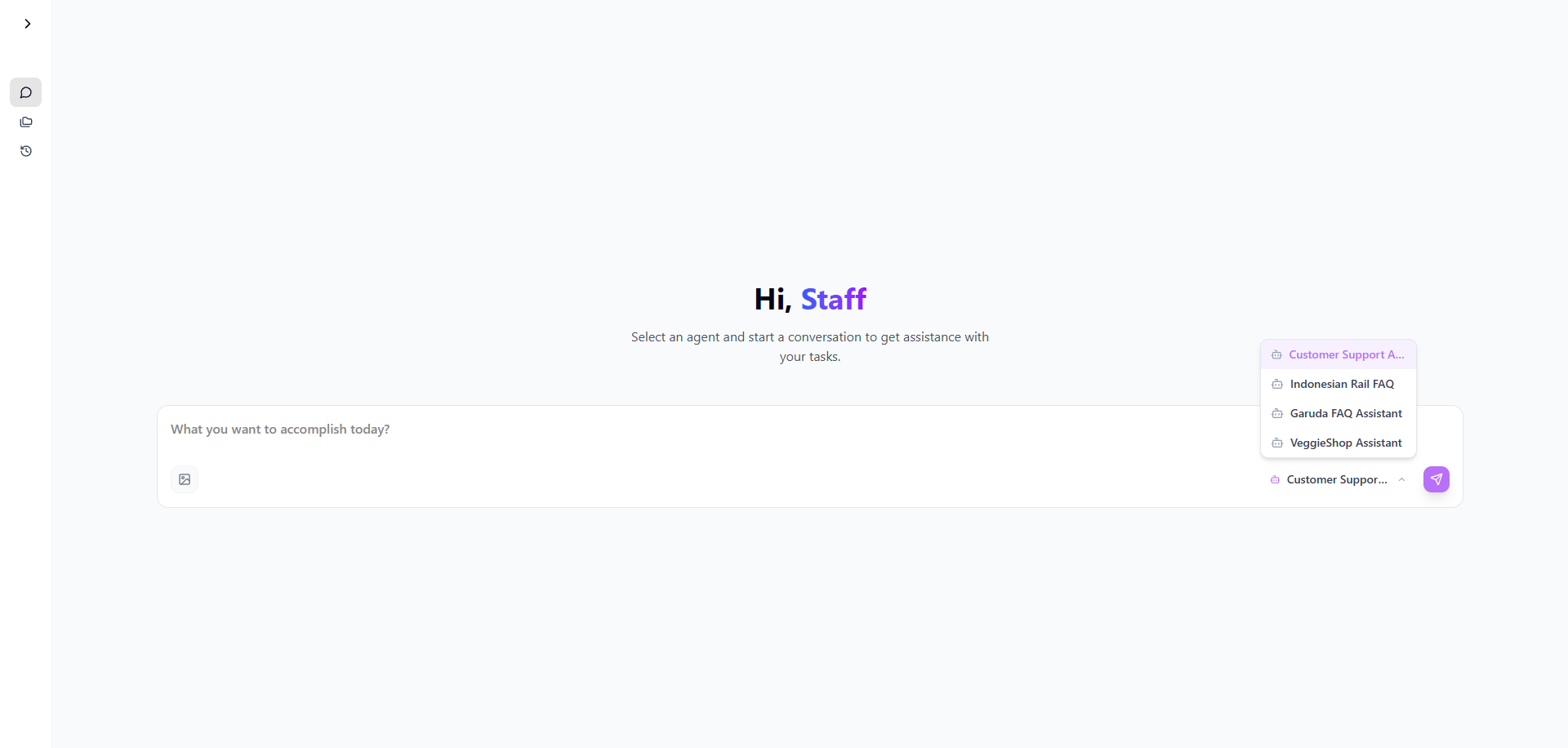
Perfect10's Staff interface provides a streamlined experience for daily operations. Staff members can interact with assigned AI agents, access project workspaces, and utilize chat functionality to assist customers and perform tasks efficiently.
Navigation Interface
Sidebar Menu
- Logo: Company branding and quick navigation
- Chat: Primary communication interface with AI agents
- Projects: Access to project workspaces and specialized agents
- History: Conversation history and recent interactions
- Log Out: Secure session termination
Agent Availability
- No agents available: Status indicating no active agents are assigned
- Assigned Agents: Display of available AI agents for interaction
Core Features
Chat Interface
The main communication channel between staff and AI agents:
Starting a Conversation
- Select an available agent from the sidebar
- Type your message in the chat input field
- Press Enter or click Send to receive AI responses
Example Interaction:
Staff: "halo"
Agent: "Halo! Ada yang bisa saya bantu dengan penjualan sayur hari ini?"

Staff: "harga sayur hari ini"
Agent: Provides detailed pricing information for available vegetables
Project Workspaces
- Specialized Agents: Access to project-specific AI agents
- Context-Aware: Agents maintain conversation context within projects
- Task-Specific: Tailored responses based on project requirements
Conversation History
- Recently: Quick access to recent conversations
- See all: Complete history view
- Searchable: Find past interactions and references
Practical Usage Examples
Customer Service Scenario
Customer Inquiry: "harga sayur hari ini"
Staff Response: Relay question to AI agent
Agent Response: Provides comprehensive pricing list
Complex Query Handling
Staff: "gabungkan dengan gizi saya ingin membuat makanan dengan budget 10k per porsi..."
Agent: Provides detailed nutritional planning with budget constraints
Key Capabilities
- Real-time Pricing: Access current product information
- Nutritional Guidance: Meal planning and dietary recommendations
- Budget Management: Cost-effective solution suggestions
- Product Knowledge: Detailed information about available items
Best Practices
Effective Communication
- Use clear and specific questions for accurate responses
- Provide context when asking complex queries
- Utilize follow-up questions for additional details
Customer Service Excellence
- Relay agent responses promptly to customers
- Verify information accuracy when necessary
- Maintain professional communication standards
Productivity Tips
- Use history feature to reference previous interactions
- Bookmark frequent responses for quick access
- Utilize project workspaces for specialized tasks
Limitations and Considerations
- Agent Availability: Functionality depends on assigned AI agents
- Knowledge Base: Responses are limited to trained information
- Budget Constraints: Financial recommendations based on available data
Troubleshooting
Common Issues
- No agents available: Contact administrator for agent assignment
- Slow responses: Check internet connection and system status
- Inaccurate information: Verify critical details with supervisors
Support Resources
- Contact team lead for agent access issues
- Refer to knowledge base for product information
- Use help desk for technical difficulties
Note: Staff interface is designed for operational efficiency and customer service excellence. Always verify critical information before sharing with customers.
Tip: Use the chat history feature to maintain consistent customer service and track frequent inquiries for process improvement.