Conversation Logs
Overview
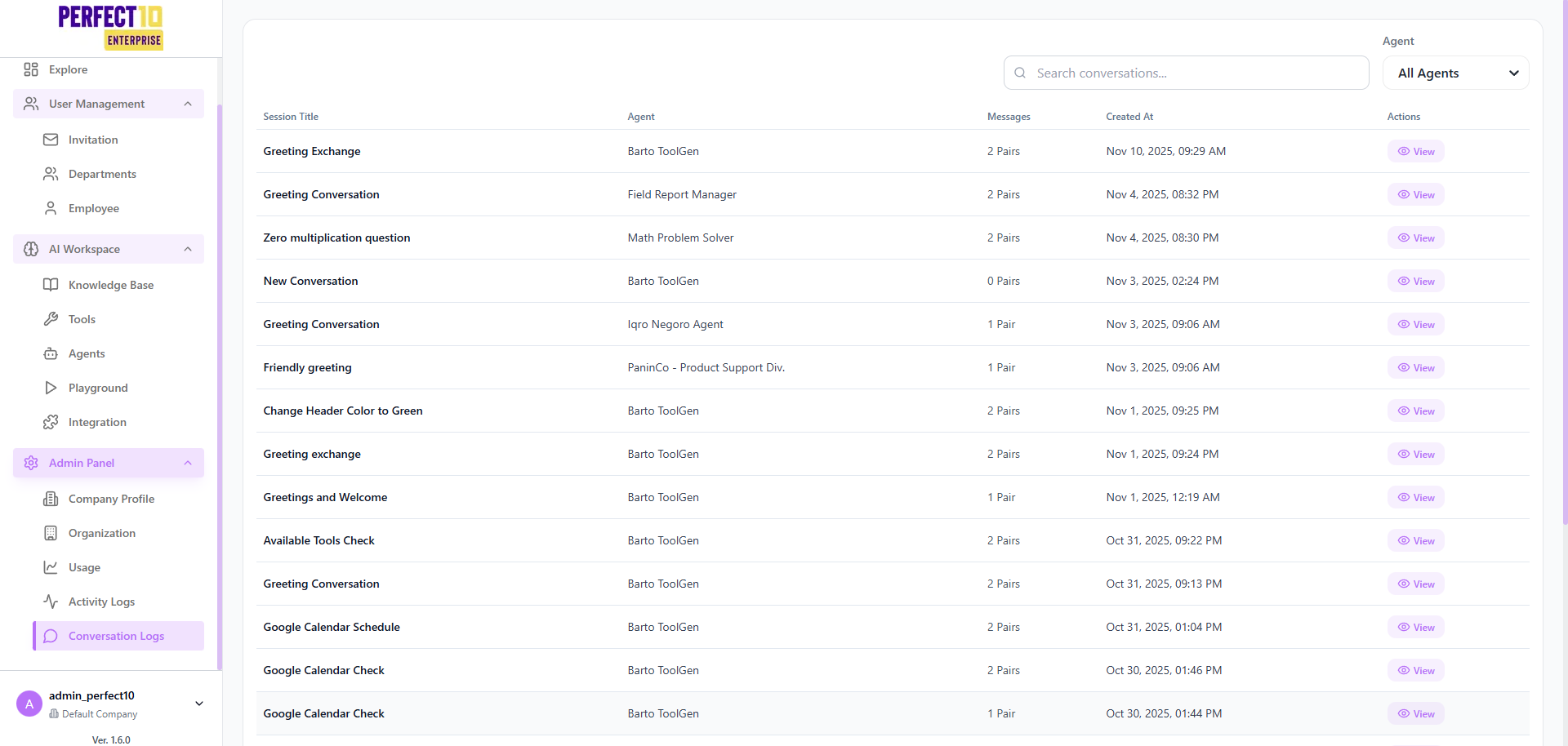
The Conversation Logs page in Perfect10 Pro - Enterprise Platform provides administrators with visibility into all AI-driven chat sessions across the organization.
It allows audit, review, and replay of interactions between users and AI agents for quality assurance, debugging, and compliance monitoring.
This feature helps ensure AI communication integrity and supports continuous improvement of automated agents.
Log Overview
The page lists all recorded conversations with searchable and filterable fields.
- Session Title: The name or context of the conversation.
- Agent: The AI agent that handled the interaction.
- Messages: Indicates the number of message pairs (user → agent).
- Created At: Displays the exact date and time of the session.
- Actions: Provides access to view or analyze the selected conversation.
Administrators can use the search bar to locate conversations based on keywords or agent names.
Filters and Controls
| Filter | Description |
|---|---|
| Agent | Filter conversation logs by AI agent name. |
| Date Range | Narrow the list to sessions created within a specified period. |
| Search Conversations | Locate sessions by title, keywords, or user queries. |
| View Action | Opens a detailed modal displaying full conversation content and metadata. |
Tip: Use the search and filter options to quickly locate relevant conversations for review.
Sample Conversation Log Entries
Example: The following entries demonstrate how conversations appear in the Conversation Logs table.
| Session Title | Agent | Messages | Created At | Actions |
|---|---|---|---|---|
| Greeting Exchange | Orion Support Assistant | 2 Pairs | Nov 10, 2025, 09:29 AM | View |
| Field Greeting Conversation | FieldOps Report Manager | 2 Pairs | Nov 4, 2025, 08:32 PM | View |
| Math Reasoning Question | Analytical Math Solver | 2 Pairs | Nov 4, 2025, 08:30 PM | View |
| New Conversation | Orion Support Assistant | 0 Pairs | Nov 3, 2025, 02:24 PM | View |
| Welcome Interaction | Knowledge Advisor | 1 Pair | Nov 3, 2025, 09:06 AM | View |
| Friendly Greeting | Product Support Agent | 1 Pair | Nov 3, 2025, 09:06 AM | View |
| UI Color Adjustment | Orion Support Assistant | 2 Pairs | Nov 1, 2025, 09:25 PM | View |
| Meeting Schedule Discussion | Scheduling Coordinator | 2 Pairs | Oct 29, 2025, 08:25 AM | View |
Page: 1 of 2
Navigation available: Previous | Next
Viewing Conversations
When selecting View, a detailed modal appears containing:
- Complete chat transcript between user and AI agent.
- Timestamped message pairs for each exchange.
- Context metadata such as conversation ID, user, and model version used.
- Option to export or copy conversation text for internal review.
Note: Only administrators with appropriate permissions can access full conversation details.
Key Features
- Centralized Conversation History – Stores and displays all AI session logs in one interface.
- Advanced Search – Quickly locate sessions by agent name, title, or time period.
- Secure Access Control – Restricts log visibility to admin-level users only.
- Structured Metadata – Includes session title, timestamps, and total message count for every interaction.
Best Practices
- Regularly review conversation logs for AI performance monitoring.
- Use session data to identify improvement areas for agent responses.
- Maintain compliance by retaining conversations according to organizational policies.
- Limit export or transcript sharing to authorized personnel only.
Note: Conversation logs are retained based on organization policy and may be purged after a defined retention period.