Integrations
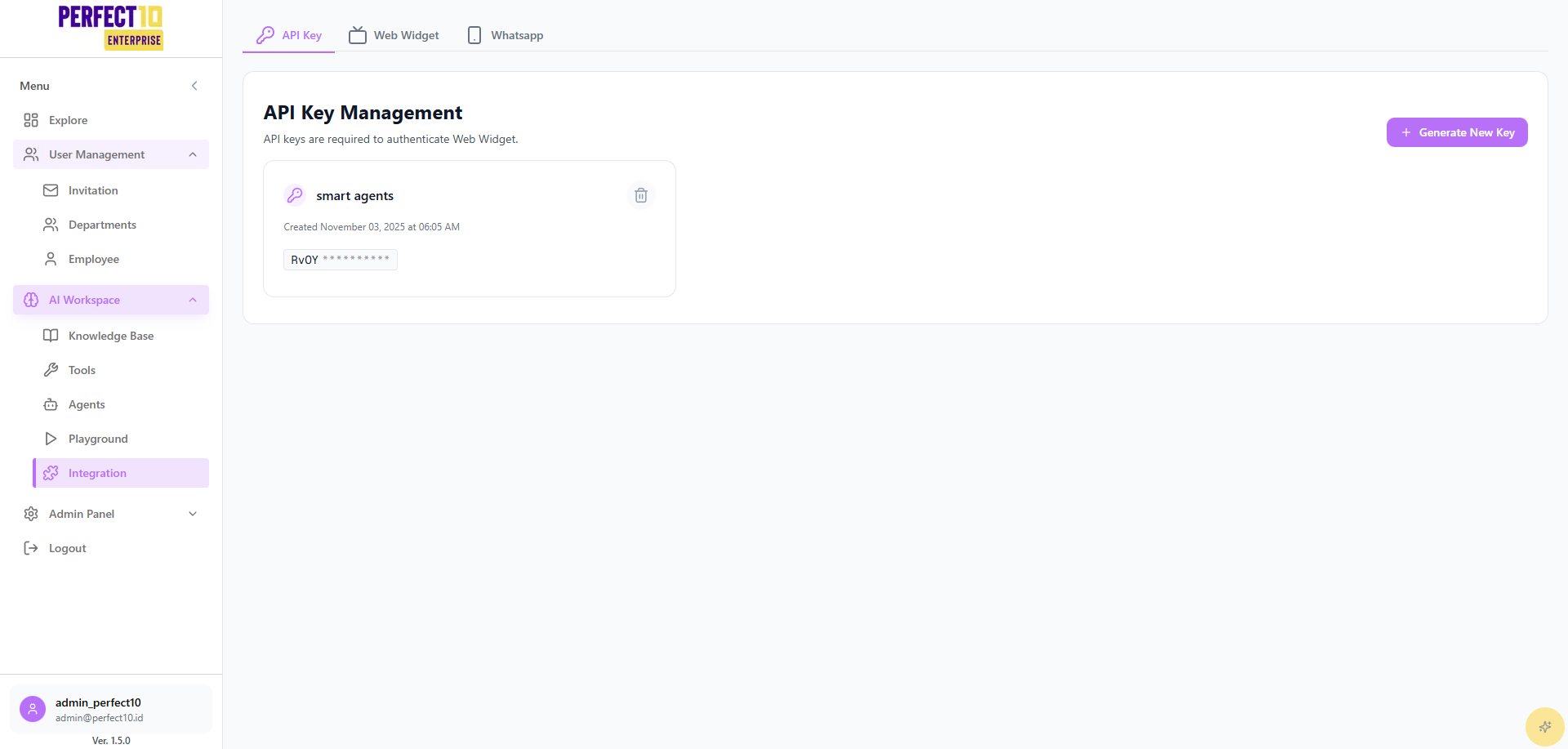
System Integrations
Perfect10’s Integrations feature enables seamless connectivity with external systems, supporting deployment through REST APIs, Web Widgets, and WhatsApp.
REST API Integration
- Access the Integrations menu.
- Select the REST API tab.
- In API Key Management, click Generate New Key.
- Specify Allowed Domains (e.g.,
*for all domains or specific URLs). - Use the API to integrate with applications, dashboards, or ticketing systems.
Web Widget Integration
- Navigate to the Integrations menu.
- Select an agent (e.g., "Nike Sales Support").
- Enter the API Key in the api_key field.
- Copy the HTML snippet and insert it before the
</body>tag:
<!DOCTYPE html>
<html lang="en">
  <head>
    <meta charset="UTF-8" />
    <meta name="viewport" content="width=device-width, initial-scale=1.0" />
    <title>Perfect10 API</title>
  </head>
  <script
    src="https://perfect10.id/widget.js"
    data-agent-id="15"
    data-api-key="YmtYBPpPVjcPP1wDtz1lMcHvruPyPqumShd5IC77ng"
    defer
  ></script>
  <body></body>
</html>
How to Integrate with Web Widgets
Implementation Outcomes
- A chat icon appears in the bottom-right corner of the website.
- Clicking the icon opens a chat window with the selected AI agent.
- Users can engage in real-time, context-aware conversations globally.
WhatsApp Integration
-
Go to the Integrations menu.
-
Select the WhatsApp tab.
-
Click Connect WhatsApp Account.
-
A QR Code will appear on the screen.
-
Open WhatsApp on your mobile device → go to Settings → Linked Devices.
-
Tap Link a Device and scan the QR Code displayed on Perfect10.
-
Once connected, your WhatsApp account will be linked to Perfect10 for agent communication.
Implementation Outcomes
-
Users can chat with Perfect10 AI Agents directly through WhatsApp.
-
Supports real-time, two-way messaging with context-aware responses.
-
Messages are automatically logged into the Perfect10 system for monitoring and analytics.
Security Considerations
- API Key Protection: Never expose API keys publicly.
- Domain Restrictions: Configure Allowed Domains to limit access, ensuring compliance with global security standards.
Note: Integrations support enterprise-scale applications across regions.
Tip: Test integrations in a staging environment to ensure seamless deployment.