Agents
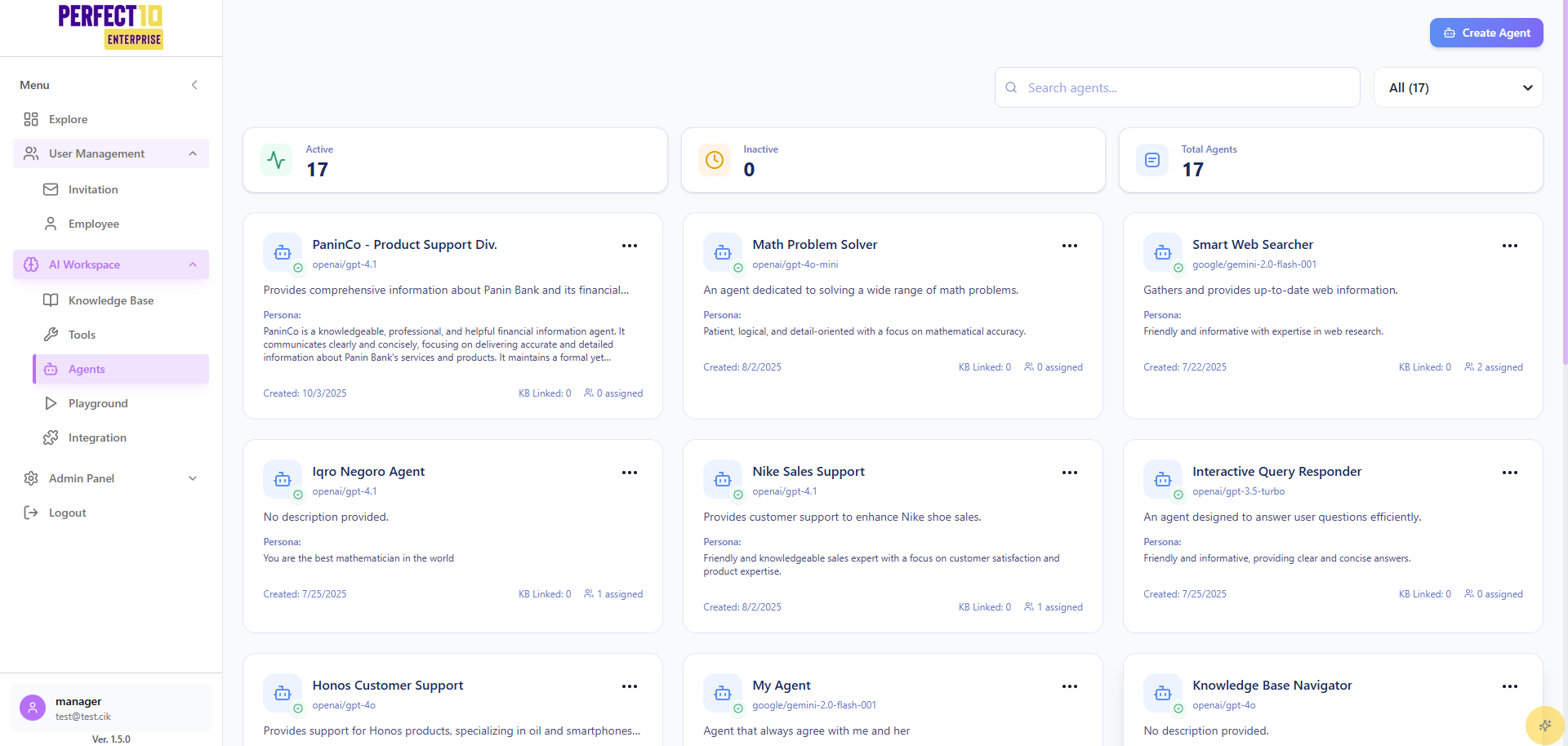
Managing Agents
The Agents menu enables managers to create, configure, and monitor AI chatbot agents, ensuring tailored, efficient customer interactions.
Core Features
| Feature | Description |
|---|---|
| Refresh | Updates the list of available agents. |
| Create Agent | Initiates the creation of a new chatbot agent. |
| Search Agents | Filters agents by name for quick access. |
Creating an Agent (Manual Configuration)
- Access the Agents menu via the sidebar.
- Click Create Agent in the top-right corner.
- Provide the following details:
- Agent Name: E.g., "Customer Support Agent".
- Description: E.g., "Provides assistance and support for customer inquiries and issues."
- AI Model: Select from:
- Google: Gemini 2.0 Flash (
google/gemini-2-0-flash) - OpenAI: GPT-5 Nano (
openai/gpt-5-nano) - Other supported models
- Google: Gemini 2.0 Flash (
- Knowledge Base (Optional): Link to resources at https://perfect10.id/knowledge.
- Tools (Optional):
- Web: Enables real-time internet data retrieval.
- URL: Allows access to specific web pages.
- Agent Persona: E.g., "Friendly, empathetic, and knowledgeable in customer service practices."
- Enable Relevance Checking to ensure response accuracy.
- Click Create Agent to activate the agent.
Creating an Agent (AI-Assisted)
- Navigate to Agents.
- Click Create Agent.
- Select Generate Agent to auto-configure:
- Agent Name
- Description
- AI Model
- Persona
- Tools and Knowledge (if applicable)
- Review and finalize the configuration.
Searching for Agents
- Access the Agents menu.
- Enter the agent name (e.g., "garuda") in the Search agents... field.
- Review the filtered list.
Assigning Agents
- Open the Agents menu.
- Locate the target agent (e.g., "Customer Support Agent").
- Click Assign.
- Select staff members from the list.
- Click Assign to grant access.
How to Assign Agents to Staff Members
Editing Agents
- Navigate to Agents.
- Identify the agent and click Edit.
- Update fields such as Agent Name, Description, AI Model, Persona, or Tools.
- Click Save or Update Agent.
Note: Agent management supports scalability, enabling configurations for diverse markets.
Tip: Regularly update agent settings to align with evolving customer needs across regions.