Manager Playground
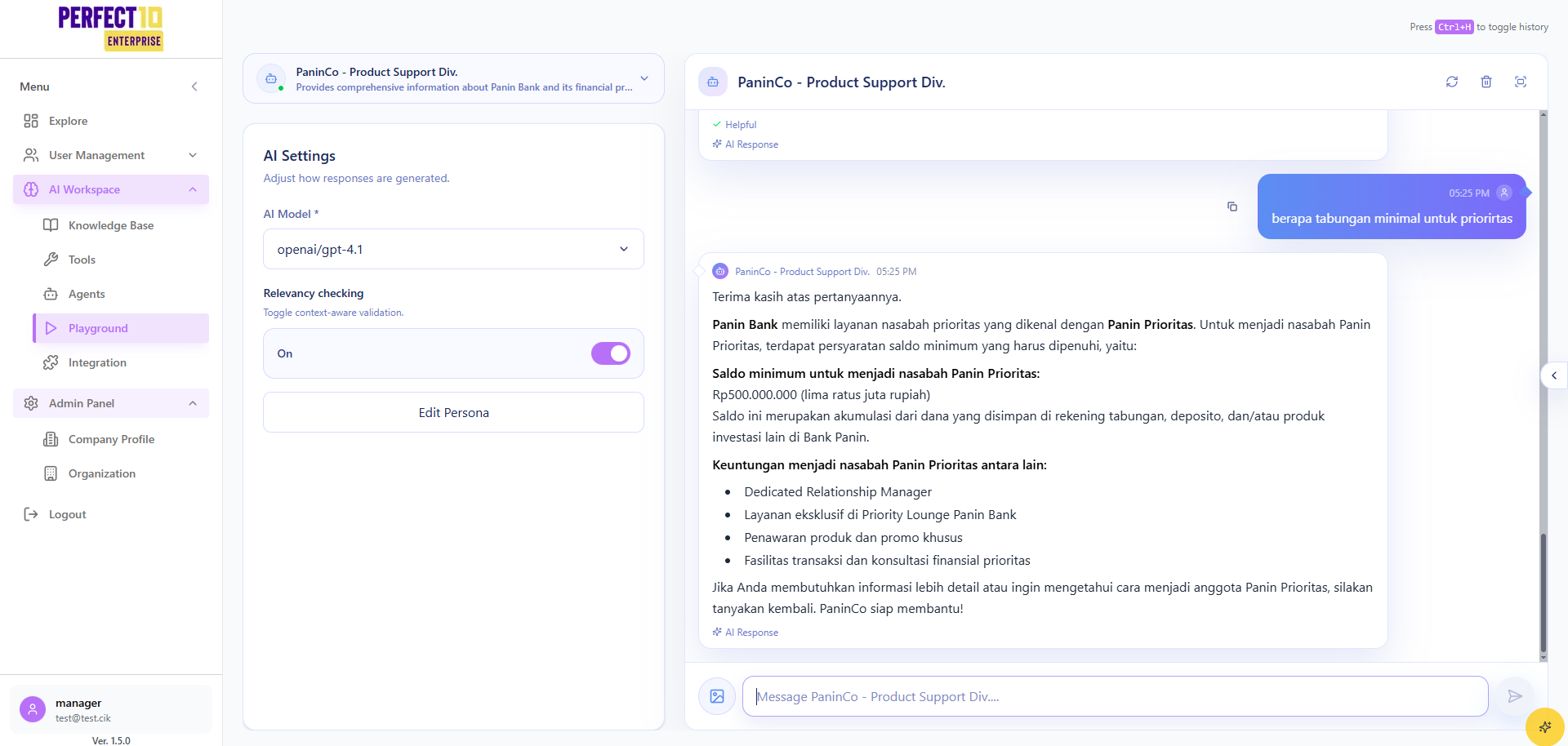
Manager Playground Testing
The Manager Playground provides a controlled environment for managers to test AI agent interactions, ensuring optimal performance before deployment.
Testing Procedure
- Navigate to https://perfect10.id/playground.
- Select an agent from the Select Agent dropdown.
- Review the agent's description and persona.
- Enter a test message (e.g., "Steps to buy a ticket through the Garuda Indonesia website").
- Press Enter to submit.
- Evaluate the response in the chat interface.
- (Optional) Press Ctrl+H to toggle chat history.
Note: The Manager Playground ensures robust testing for multilingual and region-specific queries.
Tip: Test agents with varied scenarios to validate performance across global use cases.