Integrating WhatsApp in Perfect10 Pro
This guide explains how to connect WhatsApp with Perfect10 Pro so that your AI Agent can communicate directly with users via WhatsApp.
Prerequisites
- You are logged in to your Perfect10 Pro account.
- You have administrative access to the Integrations menu.
- You have a registered WhatsApp account on your mobile device.
Integrations Page Link
Access the Integrations page here:
https://perfect10.id/integrations
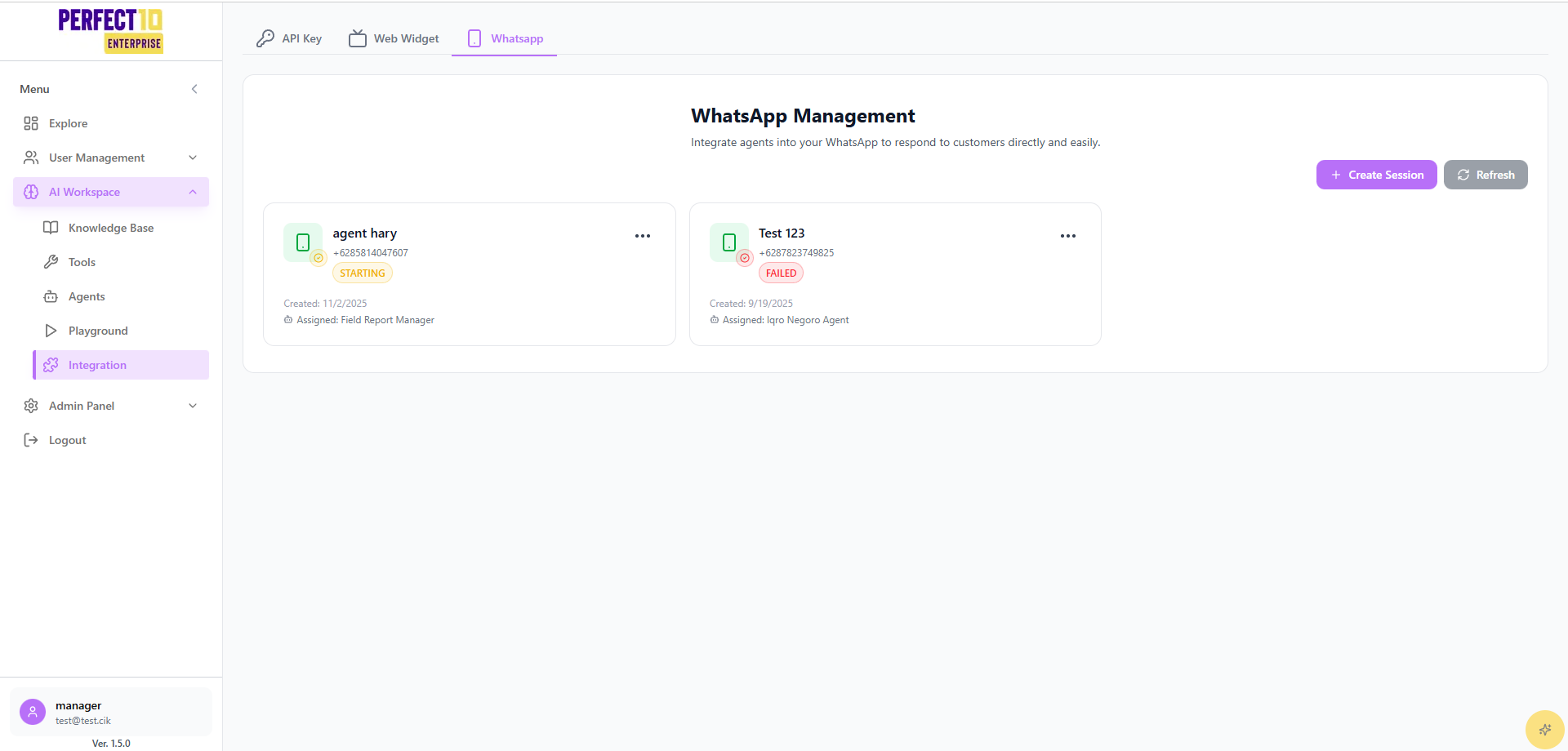
Steps to Integrate WhatsApp
-
Open the Integrations Page
- Navigate to the Integrations menu from the sidebar.
-
Select WhatsApp Integration
- Click the WhatsApp tab in the integrations panel.
-
Connect WhatsApp Account
- Click Connect WhatsApp Account.
- A QR Code will be displayed.
-
Scan QR Code with WhatsApp
- On your mobile device, open WhatsApp.
- Go to Settings → Linked Devices → Link a Device.
- Scan the QR Code shown on the Perfect10 platform.
-
Confirm Connection
- Once scanned, your WhatsApp account will be successfully linked.
- The status will show as Connected in the Configured Tools panel.
Usage Tips
- QR Code Expiration: Each QR code is temporary and must be scanned promptly.
- Session Management: If the session disconnects, repeat the QR code login process.
- Security: Only authorized admins should link WhatsApp accounts.
- Testing: Send a test message to confirm the AI Agent responds correctly.
Next Steps
After integrating WhatsApp:
- Assign the WhatsApp channel to a specific AI Agent.
- Test conversations in Playground.
- Monitor message logs in Usage to track performance.