Binding AI Agent to Tools in Perfect10 Pro
This guide explains how to bind (connect) your AI Agent to tools, enabling it to perform real-world actions such as retrieving data, automating workflows, or integrating with third-party APIs.
Prerequisites
- You are logged in to your Perfect10 Pro account.
- You have already created an AI Agent.
- You have access to one or more available tools (built-in or custom).
What Are Tools?
Tools are capabilities or integrations that extend what your AI Agent can do.
They allow the Agent to:
- Access and manipulate data.
- Perform automated tasks (e.g., sending emails, querying databases).
- Integrate with external systems (e.g., Notion, Google Drive, APIs).
Tools Management Page Link
Access the Tools Management page here:
https://perfect10.id/tools/internal
Steps to Bind AI Agent to Tools
-
Open the AI Agent Management Page
- Go to: https://perfect10.id/agents
-
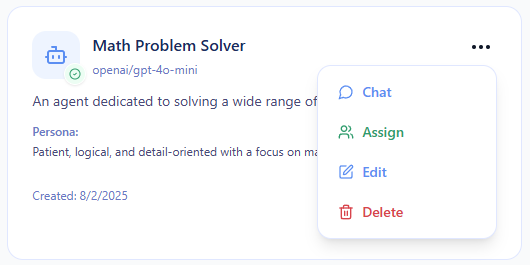
Select the AI Agent
- Choose the AI Agent you want to configure.
- edit by clicking the ...
-
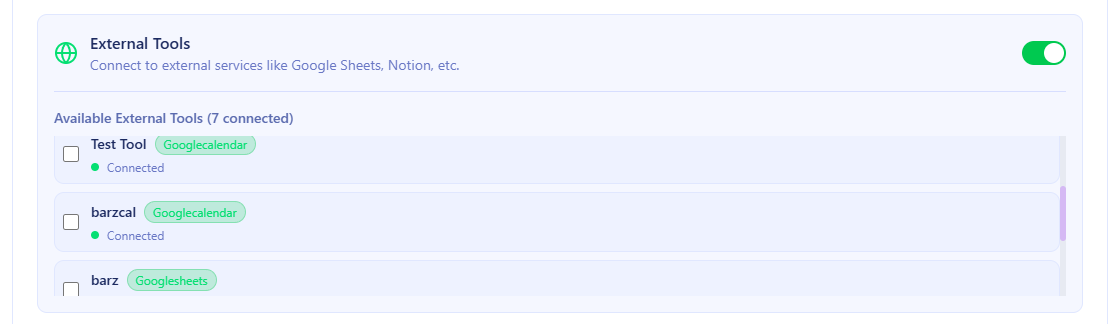
Open the “Tools” Tab
- Click the “Tools” section in the agent configuration panel.
- This section lists all available tools you can connect.
-
Browse or Search Tools
- Use the search bar to find tools by name or category.
- Example: “gmail”, “googlesheets”, “googledrive”.
-
Bind the Tool
- Toggle ON or click “Bind” next to the desired tool.
- The tool will now be listed as active for your AI Agent.
-
Save Your Configuration
- Click Save Changes.
- The system will confirm that your AI Agent is now bound to the selected tools.
Testing the Tools
Once binding is complete:
- Go to the Playground page:
https://perfect10.id/playground - Select your AI Agent.
- Try prompting it with tasks involving the tools, such as:
- “Create and send an email for a meeting.”
- “Check my Google Drive data to organize schedules and important files.”
- “Fetch the latest data from my Notion database.”
Usage Tips
- Bind only the tools you trust and need to limit unnecessary permissions.
- Regularly review bound tools for security and compliance.
- Combine multiple tools for complex workflows (e.g.,
search → summarize → send report).